Certain premium scripts use a simple challenge-response system to verify your device before the script runs. When this happens, the Zen screen will display a Challenge Key similar to the example above.
Here’s how to complete the process.
1. Read the Challenge Key
When the script loads, the screen displays a number at the top.
Example:
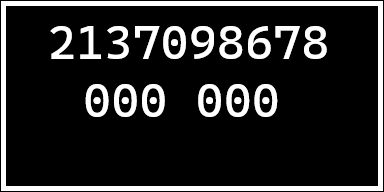
This number is your Challenge Key (2137098678).
2. Submit the Key to the Discord Bot
Go to the Asgard Scripts Discord Server and in any text channel use the command:
/key
When prompted, enter the challenge key shown on your Zen screen.
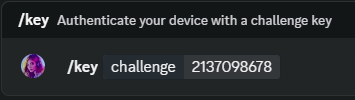
The bot will generate a response code specifically for your device.
3. Enter the Response Code on your Zen
Below the challenge key you will see something like:
000 000
This is where you enter the response code returned by the bot.
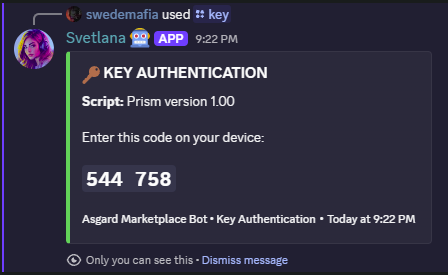
Use your controller to input the numbers:
-
Up / Down → Change the current digit
-
Left / Right → Move between digits
-
A / Cross → Submit the code when finished
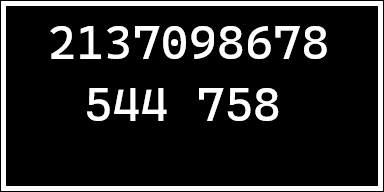
4. Script Unlocking
If the code is entered correctly:
-
The challenge screen will disappear
-
The script will continue loading normally
If the code is incorrect, simply repeat the process and make sure the digits match exactly.
Too many unsuccessful attempts will result in a temporary bot lock-out.
Any attempt to bruteforce, guess repeatedly, or manipulate the key system is logged and may automatically trigger a limited rate-cooling period before another key request can be made.